ARMSX2 Emulator APK v2.8.4 Download

ArmSX2 is a free and open-source PlayStation 2 (PS2) emulator designed for the Arm64 architecture. ArmSX2 is a fork of PCSX2 that allows you to play games with various features and high performance.
Why ARMSX2?
ARMSX2 offers new hope for the ARM device community, enabling users to play PlayStation 2 games without purchasing an original PS2 console. As an open-source project, ARMSX2 benefits from active developers who continuously refine the emulator to ensure an optimal user experience. Users can enjoy various performance enhancements and additional features designed to make playing PS2 games on ARM devices a smooth and enjoyable experience.
This project is based on the popular desktop PS2 emulator, PCSX2, and has been compiled for ARM-based devices—such as modern Android and iOS smartphones—as well as other supported operating systems. ARMSX2 also supports modern USB and Bluetooth controllers, ensuring a comfortable gaming experience without the need for an original PlayStation 2 controller.
ARMSX2 Main Features
Fork PCSX2 Emulator
ARMSX2 is a project based on the PCSX2 emulator, ported to run on the ARM architecture. Given PCSX2's performance and stability, it's certainly down to ARMSX2 to be a stable and robust emulator.
Supports Modern ARM-Based Processors
ARMSX2 supports modern processors such as Snapdragon, Mediatek, Apple Bionic, Surge, Exynos and other modern processors based on ARM architecture.
Full GPU Rendering Support
ARMSX2 supports a fairly comprehensive GPU rendering suite such as Vulkan, OpenGL, and Software.
Supports Modern Controllers
Supports modern Controllers or GamePADs using either Bluetooth or USB connections.
High and Stable Performance
ArmSX2 Emulator offers high performance in various PS2 games with several performance optimization features that you can adjust to your device in the settings.
Open Source
ArmSX2 is an open-source project whose source code can be found on GitHub. You can also report bugs or feature additions in the ArmSX2 GitHub repository.
Device Specifications
To use the ArmSX2 Emulator we provide some minimal suggestions and recommendations for the specifications needed to run ArmSX2 smoothly.
Processor
For the processor itself, we recommend at least Snapdragon 732G or Helio G99, but we recommend using a higher or newer chip to play heavy games more smoothly.
RAM
Armsx2 doesn't require much RAM, just 3GB is enough. However, we recommend 6GB or more.
Storage
For memory storage we recommend having 5GB left, even if only to store a few games, but we recommend 10GB of available memory so you can store several games.
Operating system
ArmSX2 supports android 8.0 (oreo) to android 16, make sure your operating system meets the requirements to install the ArmSX2 application.
GPU
For the GPU itself, we recommend at least Andreno 618, Mali G57, PowerVR GM9446, Apple A14 or higher.
How to Install and Set Up ArmSX2
If you are new to using ArmSX2, follow these simple steps to correctly set up the emulator on your device.
1. Preparing APK, Game, PS2 BIOS Materials
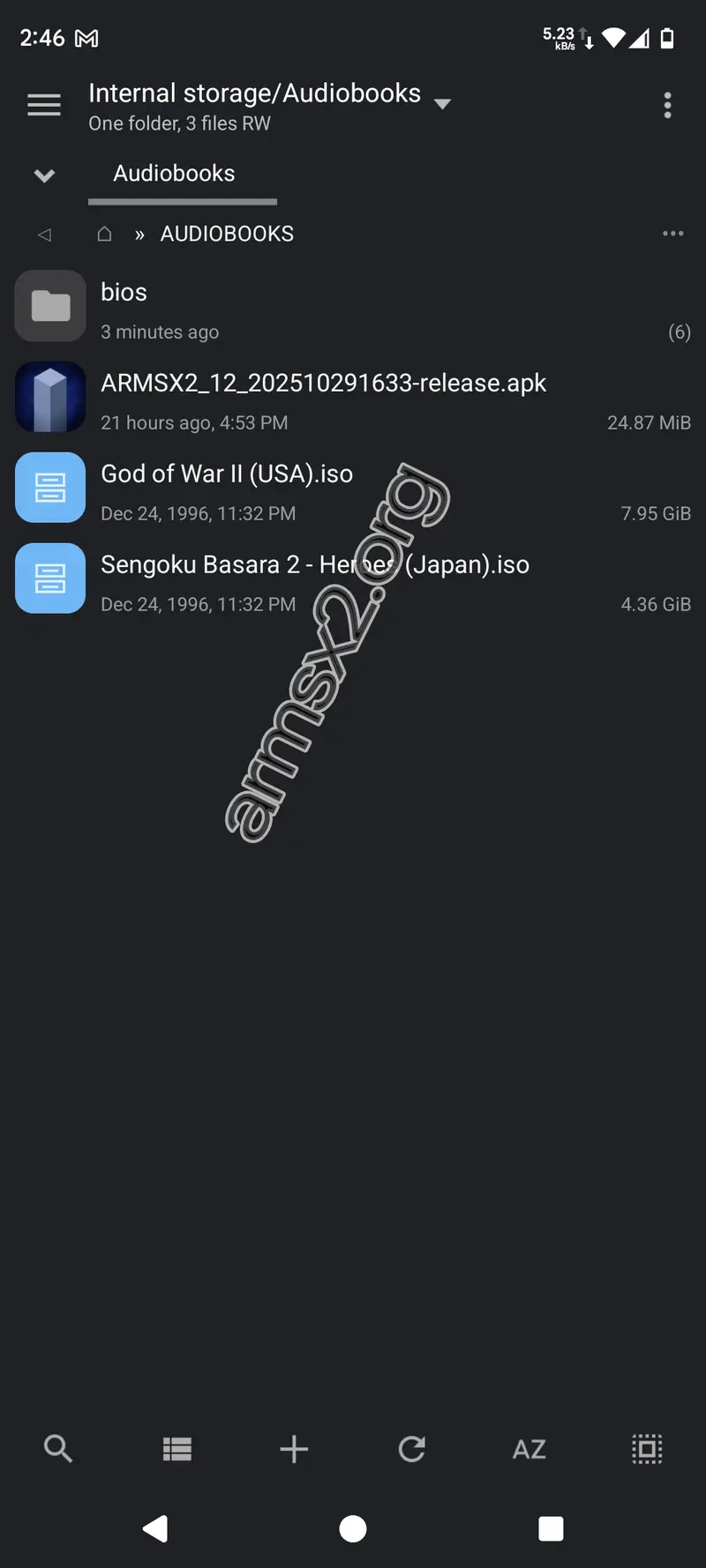
First, make sure you've downloaded the ArmSX2 APK, PS2 BIOS, and the PS2 game disc you want to play. Place these files in an easy-to-find folder.
2. Start Installation
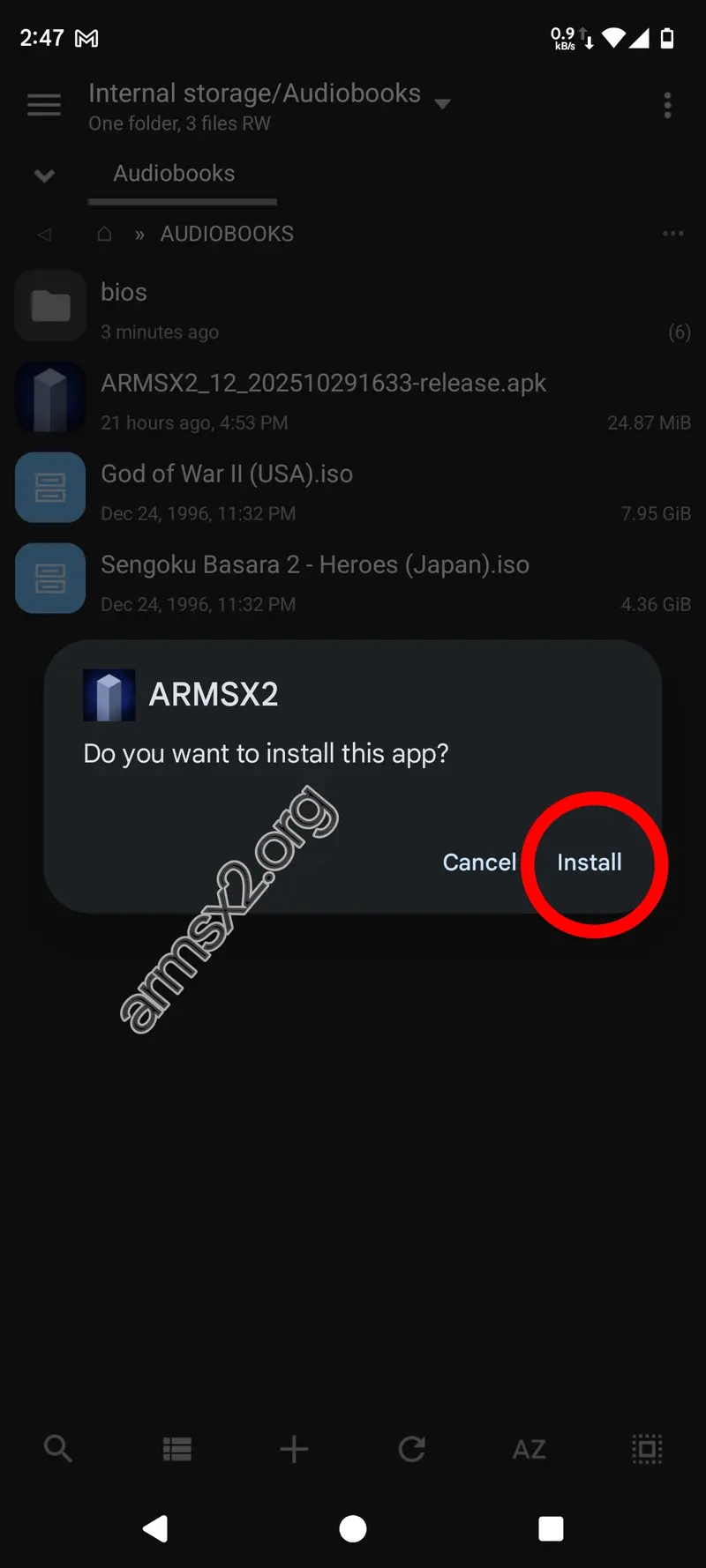
Drag the ArmSX2 APK file from your file manager and click Install.
3. Open the ArmSX2 application
After installing the ArmSX2 application, tap Open to launch the ArmSX2 emulator for the first time.

4. Start the installation wizard
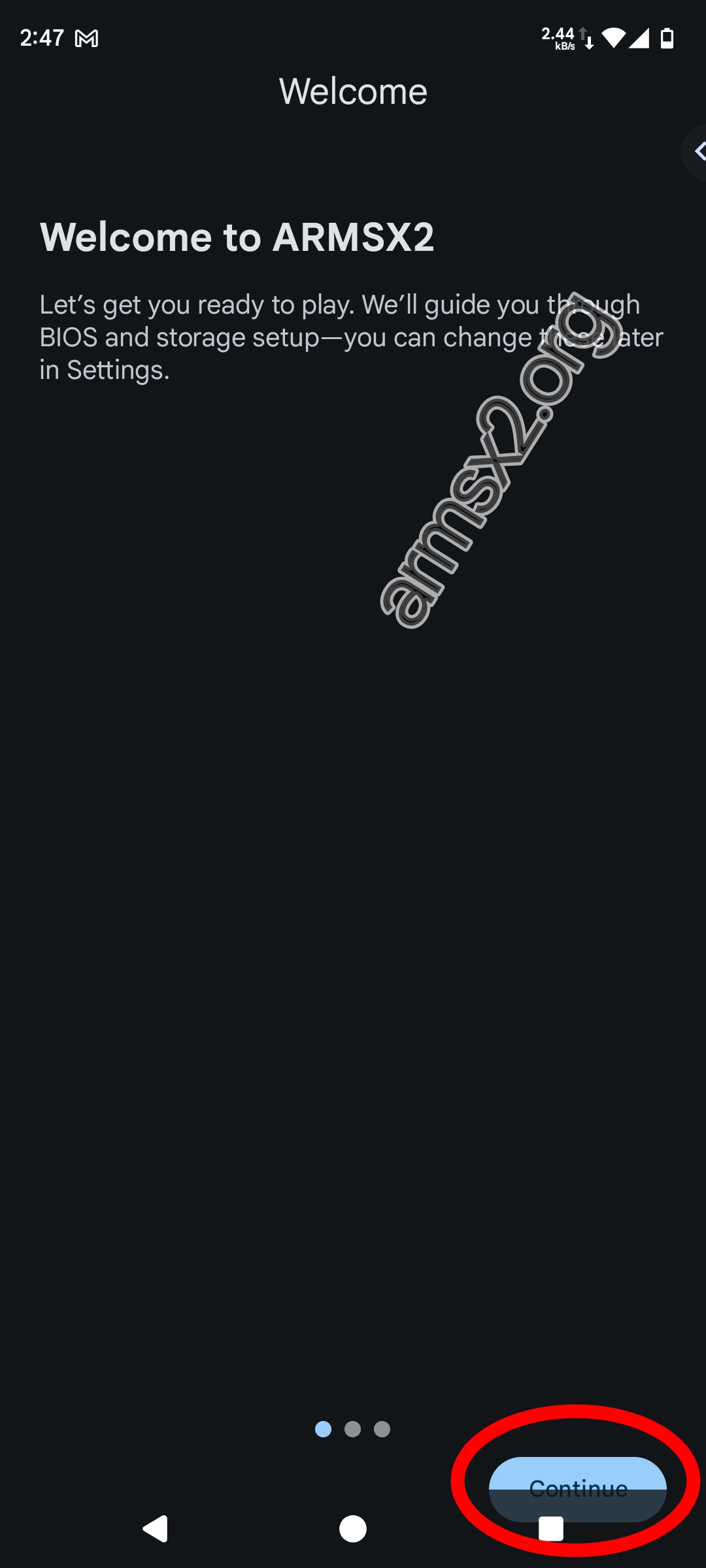
You will be presented with the first welcome page. This wizard will walk you through the initial setup. Just press Continue.
5. Import PS2 BIOS
To use the ARMSX2 Emulator, you must have a PS2 BIOS ready. Tap the Select BIOS button to add the BIOS you have already created.
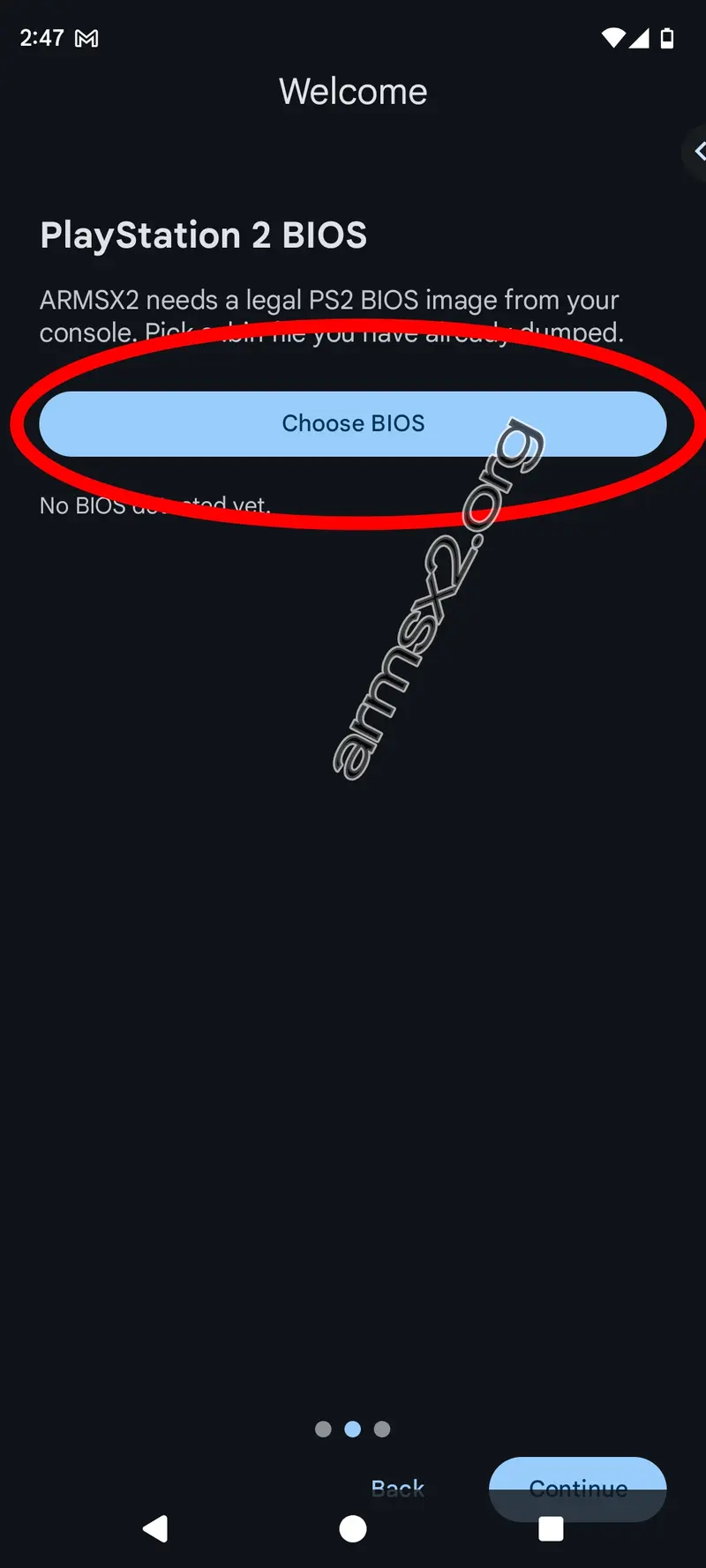
6. Locate Your BIOS File
Navigate to the folder where you saved the BIOS file and select BIOS from the list of files.

7. Confirm BIOS Selection
Once the BIOS is successfully imported, you will be shown the message "BIOS is ready to use." Tap Continue to proceed to the next step.
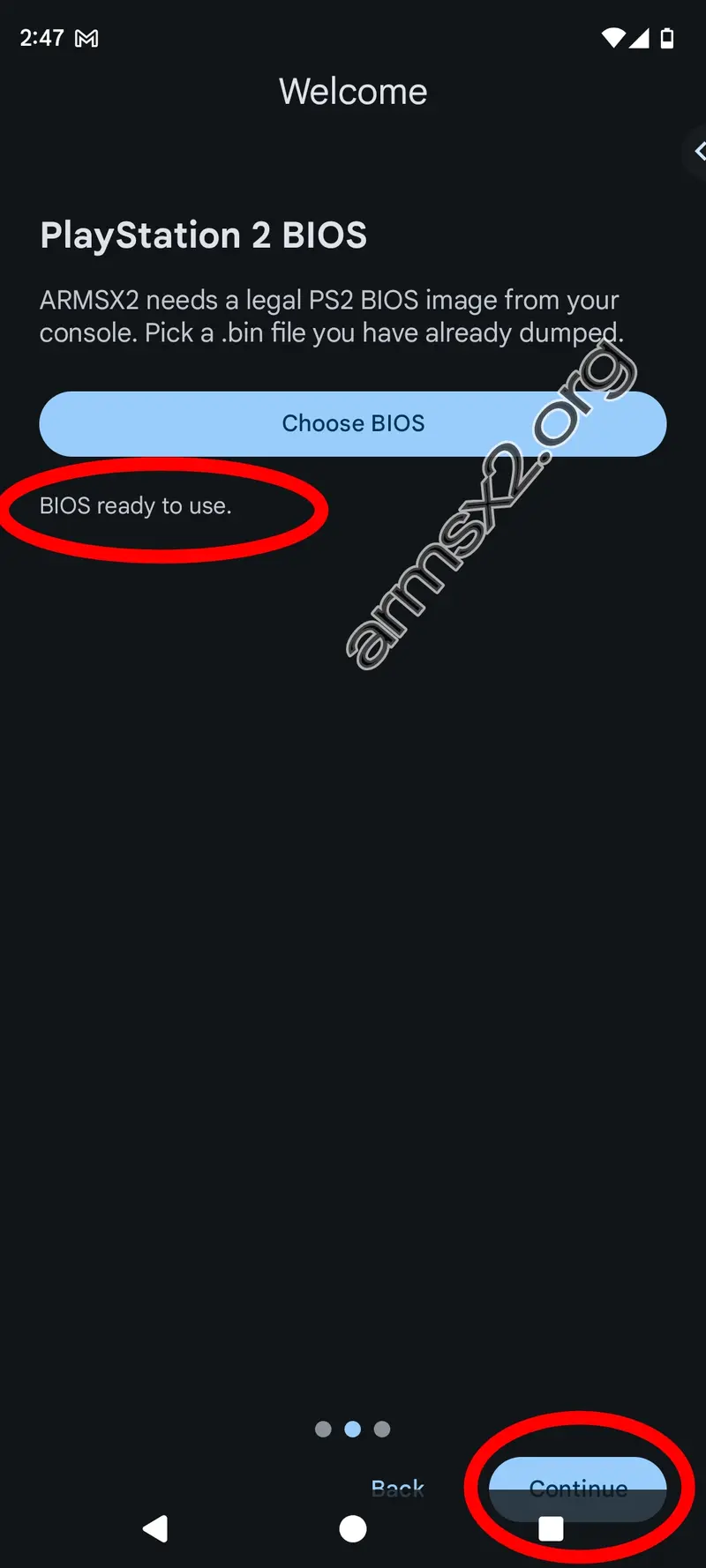
8. Setting Data Storage Location
Select a save location for ArmSX2. We recommend using the default location. Then tap finish
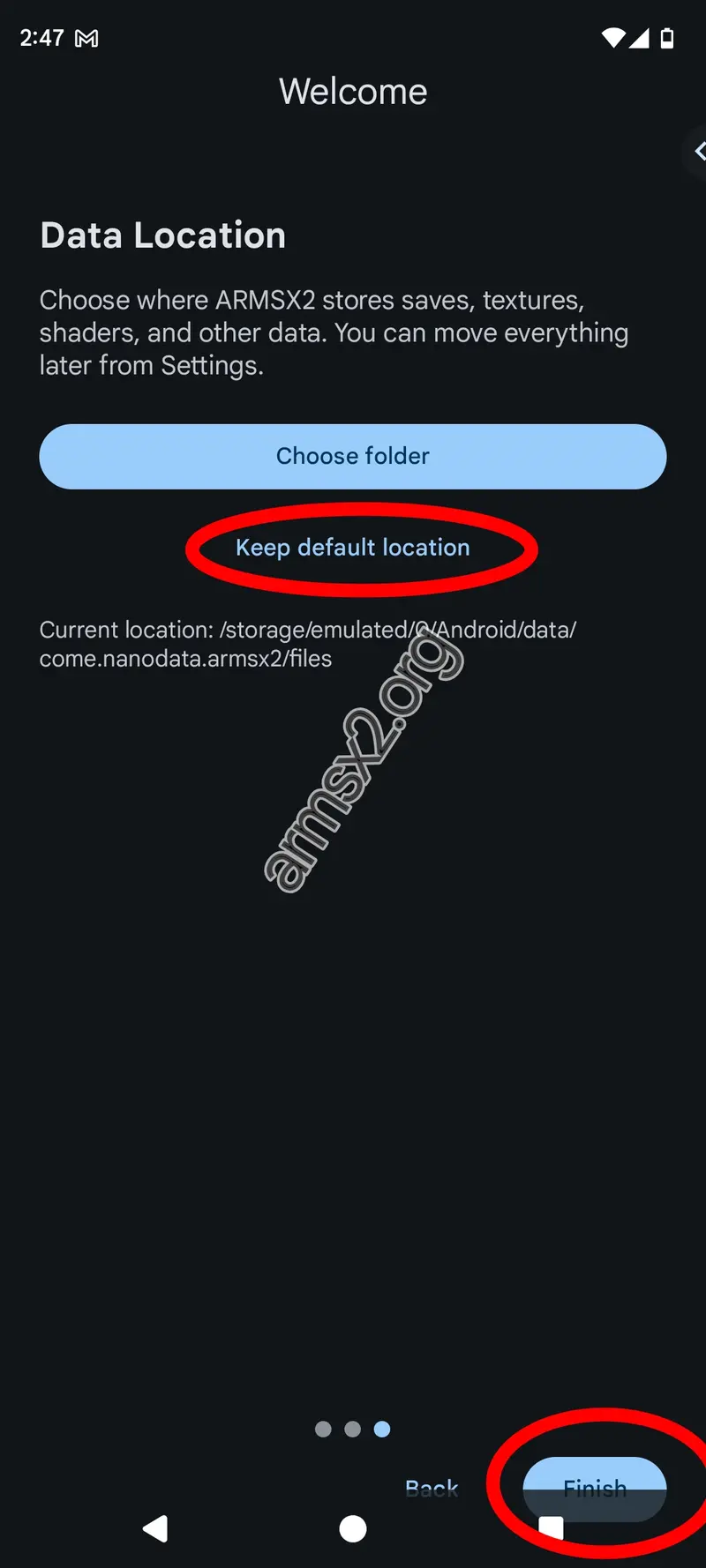
9. Add Your Games Folder
Now you need to add your game folder. Tap Select game folder to start selecting folders.
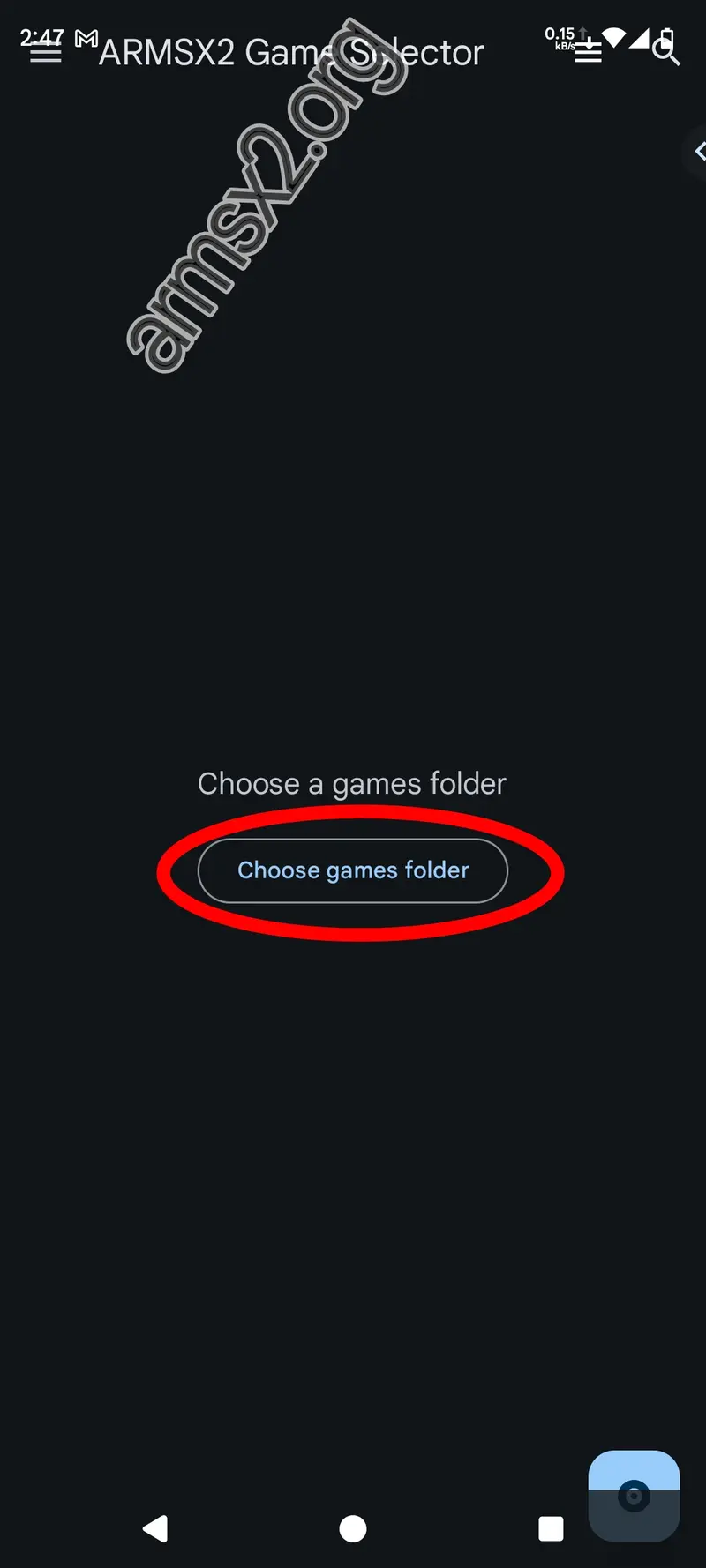
10. Select the Correct Directory
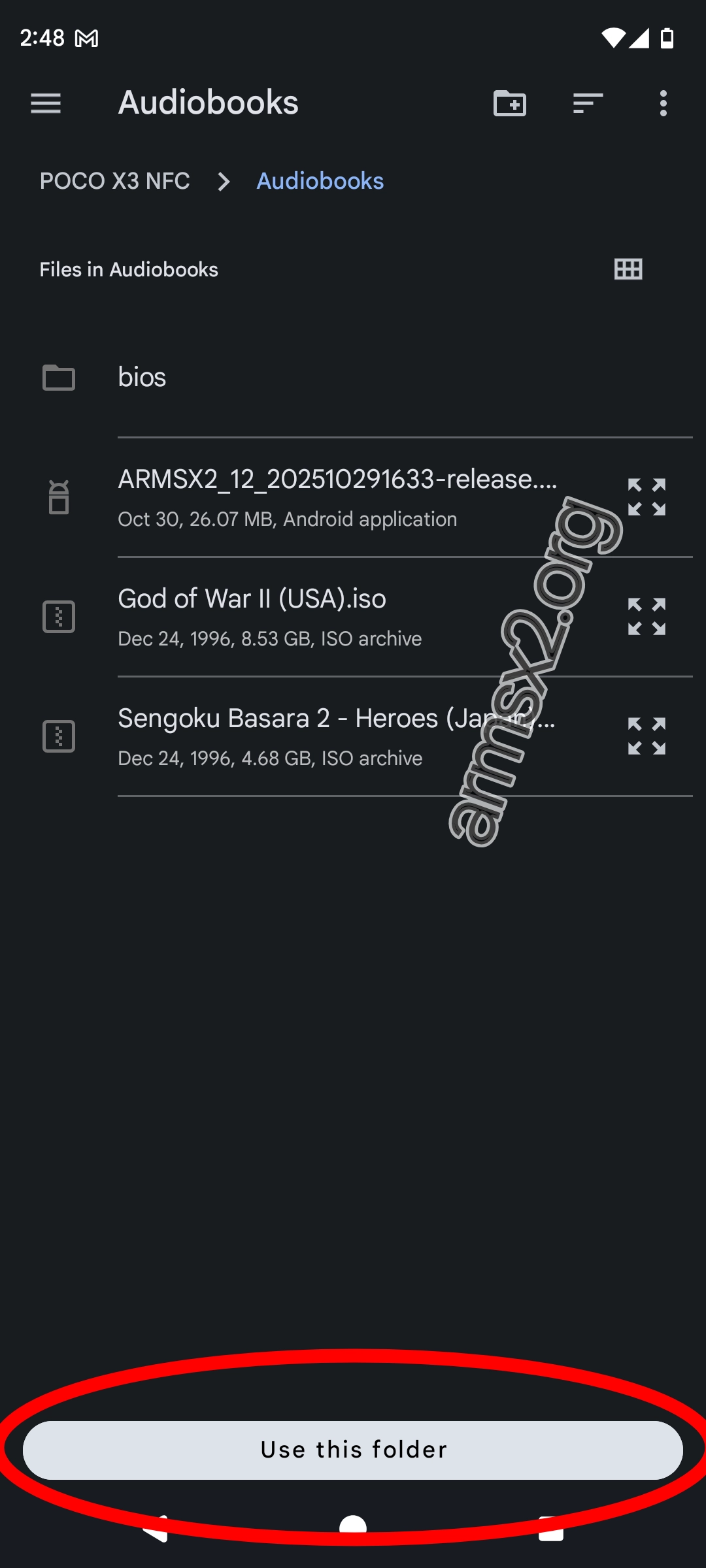
Navigate to the directory where you saved the PS2 Game disc, then tap the Use this folder button at the bottom which is blue.
11. Grant Permission
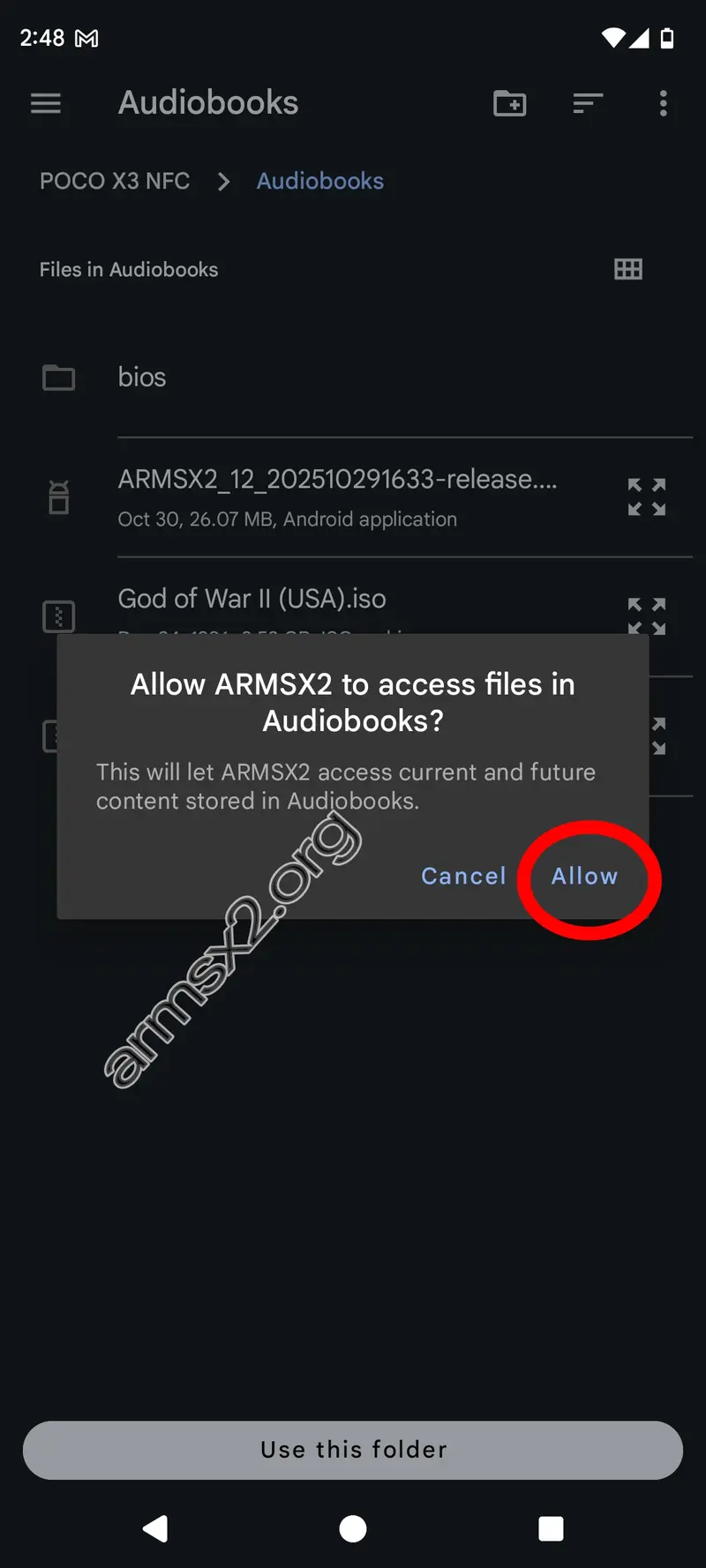
You will be presented with a pop-up window asking for storage permission. Tap Allow to allow ArmSX2 to read your storage.
12. Installation has been successfully completed!
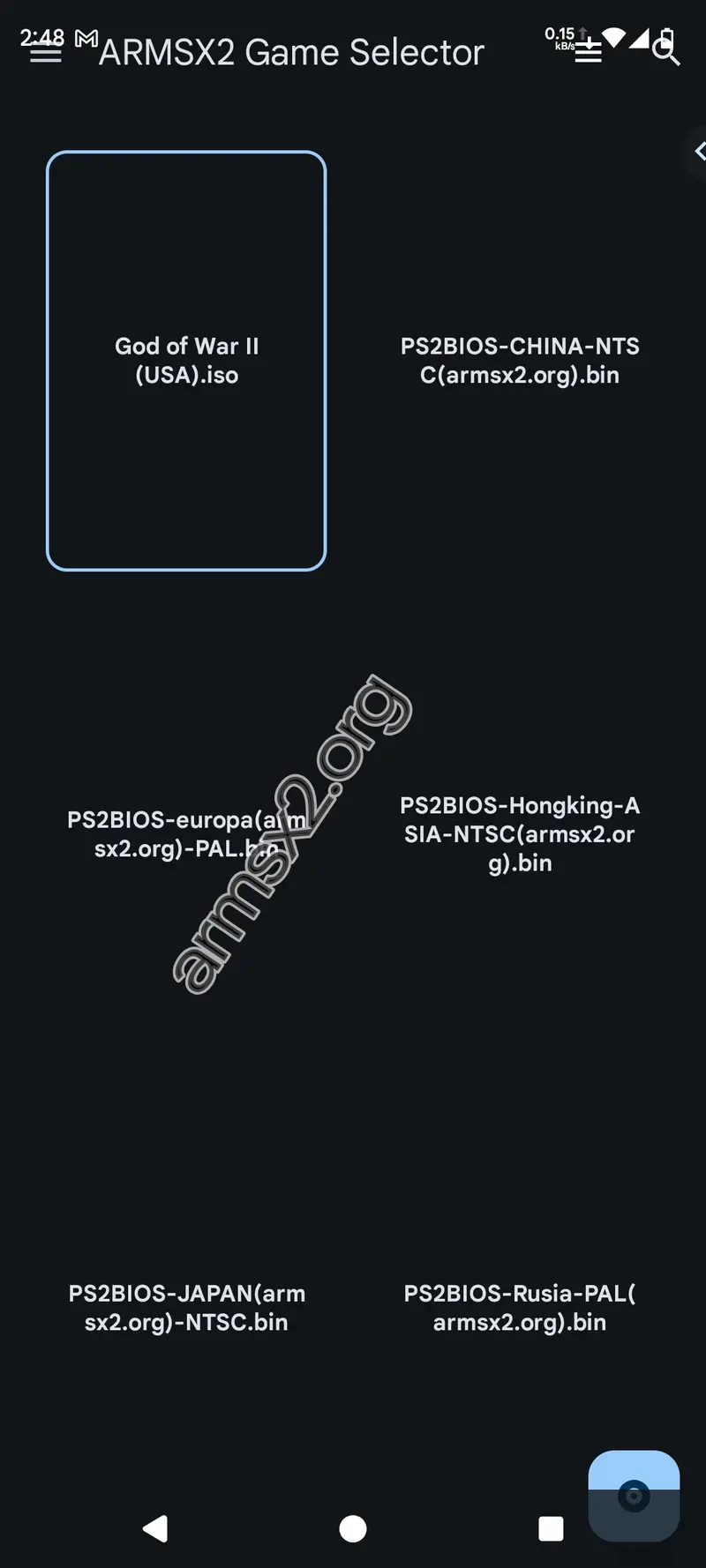
Congratulations! The ARMSX2 installation setup is complete. You can now see your game list and start playing right away.